| SNV | |
|
|
An Electronic Viewer and Attribution Resource for Shield Nickels
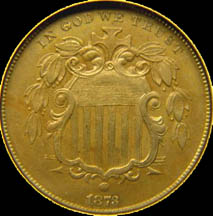
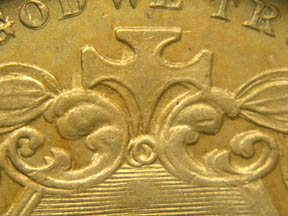
Shield nickel variety collectors are a fortunate lot - the coinage series offers far more varieties and far more interesting varieties than almost any other U.S. series. The fantastic doubled die shield nickel pictured above is but one small sample of the varieties available.
Shield nickel variety collectors are also an accursed lot - the sheer number of varieties and the great similarity of some of the varieties to each other can make accurate attribution of shield nickel varieties an exercise in frustration. Currently available reference books about shield nickels provide a small picture of the variety area of the coin only, so the die crack on another part of the coin that would conclusively establish the attribution for you is frustratingly not visible.
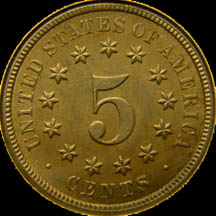
Shield Nickel Viewer (SNV) is a computerized reference for shield nickels, designed to facilitate accurate attribution of shield nickel varieties. Multiple pictures of all areas of the coin are provided so that any possible hints for correct attribution are visible. A computerized reference offers many advantages over printed references - the "Welcome" page of the SNV manual explains these advantages.
System requirements for SNV are not absolutely fixed, but the author recommends 256K of memory and a processor comparable to a Pentium 500mhz. Thus, any computer of reasonably recent vintage should suffice. If the trial version runs successfully you should have no problems with the full version. Please follow the "Trial Version" link below to learn about installing a Java Runtime Environment (JRE).
If you are unsure as to whether your computer can successfully run SNV, you are welcome to download the trial version and test it.
SNV is guaranteed to be 100% virus and spyware free.
You are cordially invited to follow the links below to learn more about SNV.
If you would like to get an idea of what photos SNV provides but don't want to download the entire trial version, please go to this page.
Exciting news about SNV:
After many years, I am happy to say that SNV 4.1 has now been released. Here are the changes:
Instructions:
All installations must make sure a Java JRE is installed before running SNV. Windows, Linux, and Macintosh JREs can be found here:
https://www.oracle.com/java/technologies/
On all platforms, to verify you have a JRE installed, open a command prompt and type "java -version". If correctly installed, this will report the JRE version number. For apt-based Linuxes, you can also install a JRE via "apt install default-jre". For RedHat-Linuxes, the command is going to be something like "dnf install java-latest-openjdk". Other Linux distros should have an equivalent command.
Windows Install:
Run the downloaded SNV4Setup. The same installer file is used for both new installations and to upgrade your existing installation. There is no need to uninstall before performing an upgrade. To start SNV, use the Start Menu.
Linux install:
For Linux, there is no install program. Download the zip file from the link above, and extract it wherever you want. For Linux, I recommend this be in your home directory. To start SNV, open a terminal window in the directory where you have place ShieldNickelViewer.jar and type "java -jar ShieldNickelViewer.jar".
Macintosh install:
For Macintosh, there is no install program. Download the zip file from the link above, and extract it wherever you want. I suggest the Apps folder. Double-click on ShieldNickelViewer.jar. Note that you will need to bypass Gatekeeper to run SNV.
The install procedures above provide the SNV program only.
After installing, choose the menu Online/D/L Updates to fetch all of the SNV data. Be forewarned that this will be a lengthy download, around 6TB.
For those users with slower internet connections who won't be able to tolerate a lengthy download, you can still obtain SNV and all its data with the following options:
You can receive a two DVD set containing everything you need. The cost for me to do that is $12, payable via PayPal to the author's email below.
For those users whose computer no longer has a DVD drive, you can receive a USB stick. The cost for me to do that is $12 plus whatever it costs me to obtain a USB stick. Choosing this method will also result in a delay before shipping for the time it takes to obtain a USB stick.
When all of the data files have finished downloading, click on File/Reload Data. As of 7/26/26, there will be 858 records shown. This will increase as new entries are added to the SNV database. You can keep your database up-to-date with Online/Version Check to see if there are any differences, and Online/D/L Updates to resolve any differences.
If you do download SNV and you have not been a previous user, please send me an email if you want to be on the distribution list for future updates.
Please note: It does cost me around $200/year to maintain the website that supports SNV. Donations are greatly appreciated, especially if you find SNV useful. For new users, the suggested donation is $66 (for 1866!). You can send me donations via PayPal, which will be sincerely appreciated.
Please contact the Author for any further information about SNV.
This page copyright (C) 2004, 2005, 2012, 2014, 2026 by Howard Spindel. All rights reserved.